

Brand Consistency
Before we get on to security, let’s first look at the more obvious reason why you should go for centrally managed signatures over self-managed. Brand consistency.
You may already have a well designed signature created by your marketing department or someone else with a sharp eye for design. This can work well. Grab your logo, put it in Word and work on the text, colours, and layout, save it as a template and then copy it into Outlook with the particulars of each staff member.
Multiple Devices
However, what about webmail and mobiles? It can be notoriously difficult to get the same formatting across all devices, and copy/paste on your phone can be tricky. There may also be limitations on what you can put in the email signature on a mobile in terms of size, space, and formatting.

What happens more often than not is that you get a variety of different signatures across different devices and staff. While this is not a disaster, it’s also not the best look.
By having a centrally managed signature solution, you can ensure that signature branding is the same across all staff and all devices. This is because once you design your template, the signature gets added after the message is sent. No more fiddling around with adding it every time you log into a new device, or trying to get it to work on various different devices. It easier to deploy, and brand consistent.
Regulatory
There are some regulatory requirements for company email signatures too. Sections 349 to 351 of the Companies Act 1985 (amended in 2006/2007) requires that email signatures contain
- The registered company name
- The registered company office
- The place of registration (e.g. England and Wales, Scotland)
- The company registration number
Once you take in account all your other logos and contact details, it can start to make your signature quite long! However, a good workaround you can deploy is to have 2 signatures applied; one long one that would be the first signature in the chain containing all the required information, and a second shorter one that contains a condensed version with just your key contact details.

Disclaimer
There is no need to have any other long disclaimer, for example containing details along the lines of
The information in this email is confidential and intended for the addressee(s) only. If you are not the intended recipient, please notify the sender and delete the email from your system immediately… etc.
While there’s no harm in having something like this, there’s no legal requirement to do so, though if you are concerned, you should take your own independent legal advice. If you think you need it, it’s likely to be enough to include it in the initial full signature only, rather than in every reply.
Security
Now, how can your signature help you with your company security?
Authority
Signatures don’t just convey your contact details and company branding. They also give a strong indication of your authority in the business through your job title. By having the signatures centrally managed, your title as well as your contact details can be pulled from your account settings. Since most employees are not able (or should not be able!) to change or request their own changes to their job titles, the signature represents their official position within the organisation.
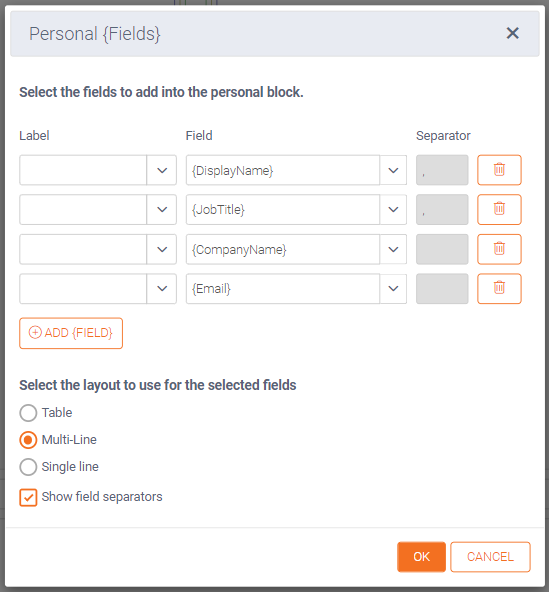
This is important not only when dealing with other staff within a large organisation where you might not know everyone, but also when dealing with external suppliers or prospects. They need to see who they are dealing with and get an indication of whether you are authorised to be a signatory on a contract or make decisions on behalf of the company.
It’s also why you should consider having a ‘proper’ job title! What’s the problem with inventing flashy new job titles? – BBC Worklife
Tackling Fraud
But there’s another aspect to security as well, and that’s scam emails. Of course, anyone can copy an email signature if they have it, and paste it into a fraudulent email. But, you can tell straight away if a CEO Fraud email is illegitimate if it doesn’t have the any, or has an incorrect, signature.

CEO Fraud works largely because on some devices, especially mobiles, the sender email address is hidden from view, leaving just the display name which can be easily spoofed. Since a managed signature is always added when the email is sent, if you receive an email from ‘Geoff Courts’ without my signature, it’s not going to be from me.
NOTE: If you as an MD or CEO often use a personal – i.e. non-company – email account for communication, you should think again. By only using your verified account, you are protecting yourself and your colleagues.
Implementation is Easy!
Speak to your IT department about deploying managed signatures. They are a relatively inexpensive way to keep all staff ‘on brand’, keep you on point with regulatory compliance, and might even prevent one of your team getting caught out by CEO Fraud.
Useful links:
Email footers and the law – SEQ Legal
Legal Requirements for UK Company Email Footers – Our Thoughts – Integrated Ideas


