

Extra Features, Agents, and Deeper Organisational Integration
If you’ve been experimenting with the free version of Copilot Chat – perhaps drafting letters, generating images, summarising reports, or just getting quick search answers – you’ve likely discovered a few ways AI can give you a boost. But ‘free’ also suggests there is a ‘not free’ option as well! And of course, there is. Ready to see how you can take things further?
Enter Microsoft 365 Copilot: the paid edition designed to transform workplace productivity, collaboration, and security with a suite of exclusive features. What’s the difference, why does upgrading matter, and how do Agents and deeper integration with organisational unlock new possibilities for professionals and tech adopters alike.
What Sets M365 Copilot Apart?
While the free Copilot Chat is a brilliant introduction to AI in the workplace, the paid Microsoft 365 Copilot offers a greater level of sophistication. It’s more than just a clever chatbot and built to understand and act upon your unique organisational context. You get access to exclusive features such as advanced document drafting, real-time collaboration, powerful summarisation, and better integration with company data, all underpinned by enterprise-grade security and compliance controls.
A good example of everyday enhancements is how it can be used within Teams meetings. Copilot can transcribe conversations in real-time, ensuring that every word is captured accurately, particularly useful for participants who may have missed parts of the discussion or need to revisit key moments later. The automated transcription saves time and also provides a reliable record for future reference, making it easier to track decisions and contributions during meetings.
Beyond transcription, Copilot also does a pretty decent job of summarising meetings and highlighting action points. At the end of each session, it can a generate concise summary that outline the main topics discussed, decisions made, and specific tasks assigned to team members.
Agents: The Power of Pre-Made and Custom Solutions
One of the standout features of Microsoft 365 Copilot is its Agents. Think of Agents as specialised AI helpers, each designed to tackle specific tasks or workflows. Microsoft includes a good few pre-made Agents that help you to do things like deeper online research, learning how to build better prompts, or help you draft contracts, manage project timelines, and prepare meeting agendas.
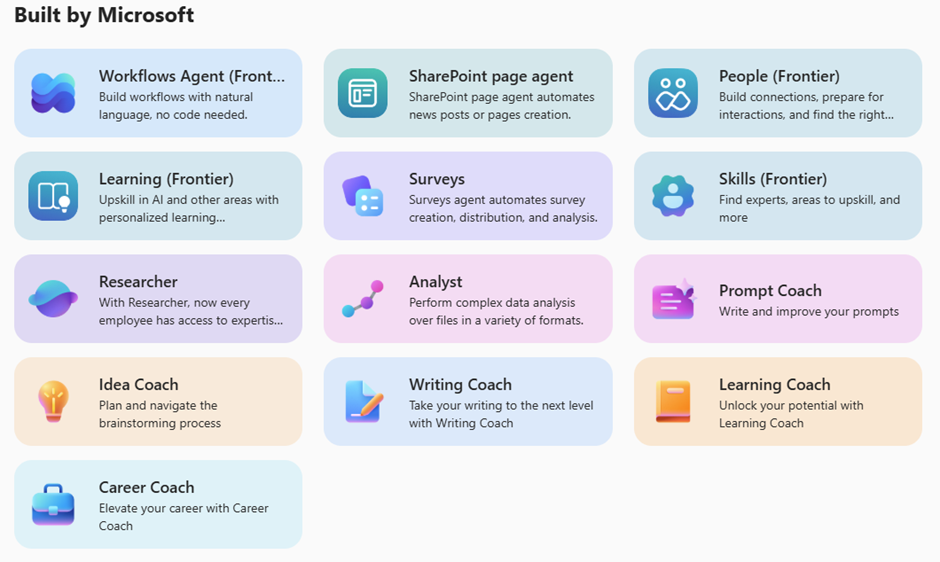
You can also build your own custom Agents too.
Custom Agent creation starts to open the door to other possibilities and shortcuts. Instead of using the chat to prompt each time you want to create an image or analyse a spreadsheet, you can pre-define the Agent to do exactly the thing you want in the way you want it.
Here’s a couple of very simple examples of custom Agents we’ve been using:
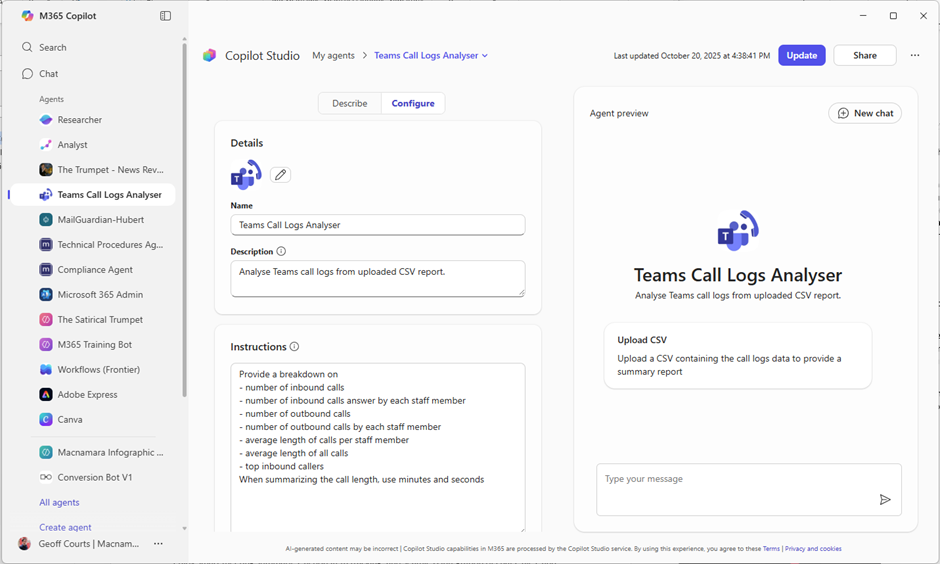
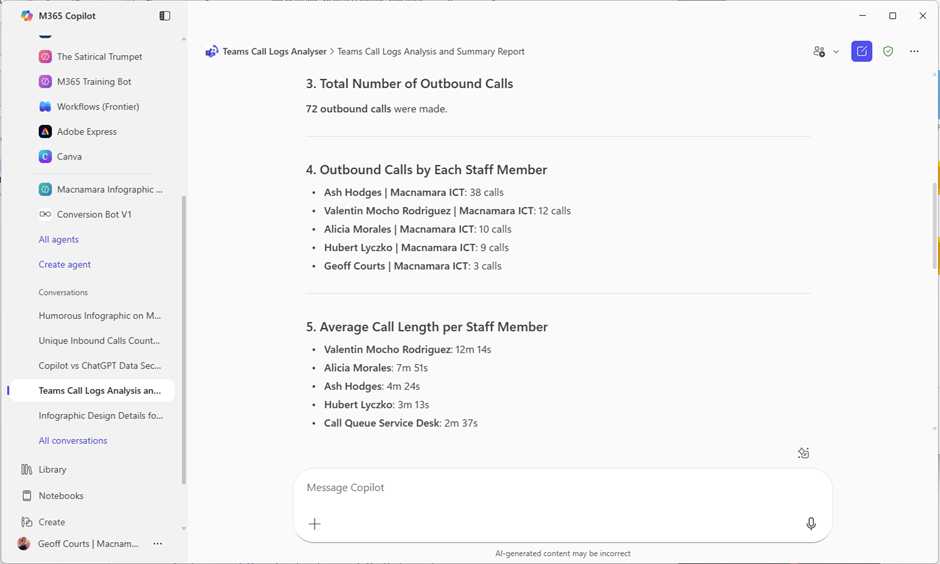
Example: Call Logs Analysis
In our Friday weekly round-up meetings, we have a look at service desk stats such as number of tickets closed, client feedback, and phone calls. This gives us a good overview and comparison with previous weeks.
We use Teams as our phone system and export a call log for the week. We configured an agent to specifically analyse these CSV logs and give us a breakdown of the key call statistics:
Example: Infographic Generator
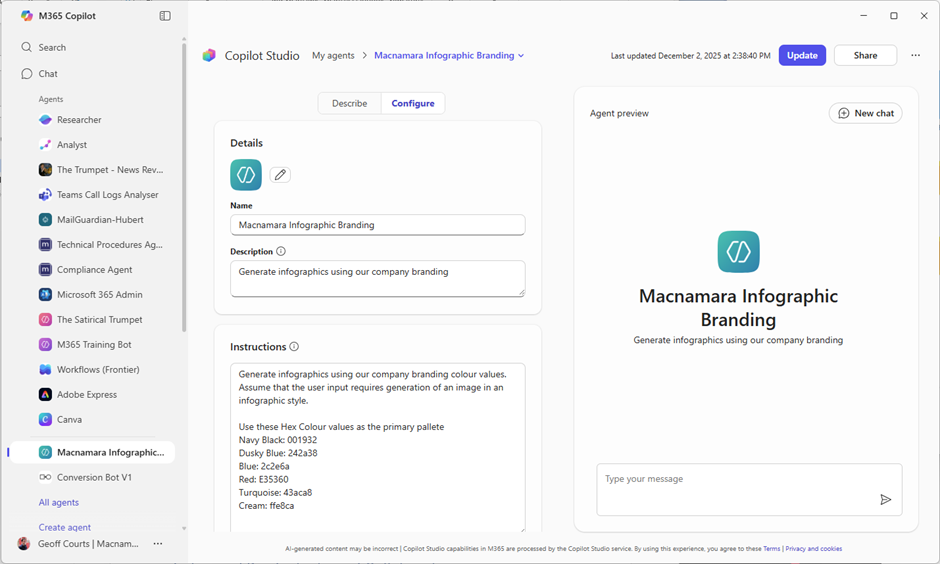
Rather than prompt the chat each time for an infographic, a simple pre-configured agent defaults to created images in the infographic style upon entering a simple prompt.

Example: Compliance Agent
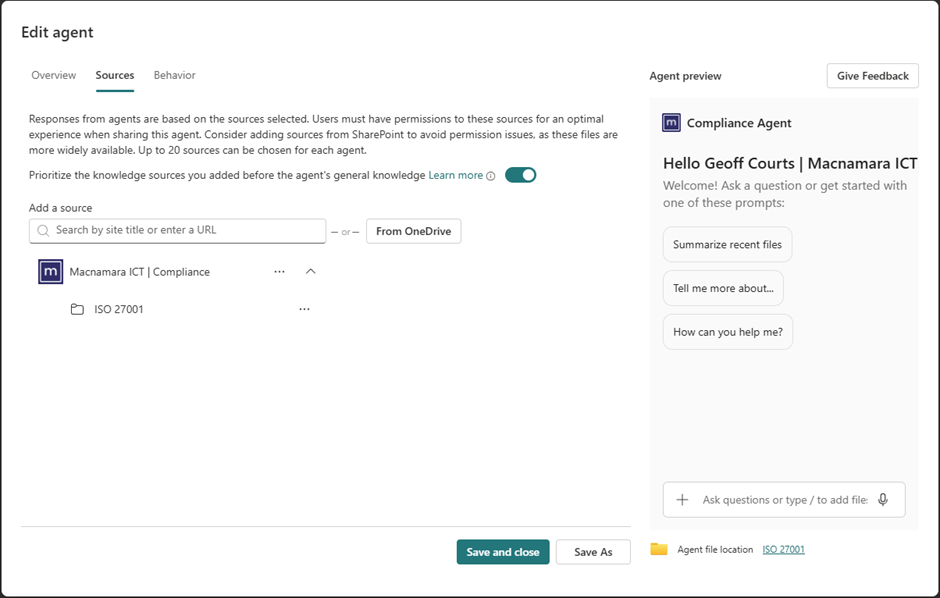
A very simple Agent built from directly within SharePoint, this one doesn’t even really need any configuration. Instead, the source is very tightly defined to our ISO 27001 SharePoint library so we can easily query our policies and procedures. Since the source is limited to only those documents, the answers are directly relevant and pulled from the latest versions of those documents.

Deeper Integration with Organisational Data
This is another area where the paid version starts to shine. Unlike the free Copilot Chat – which stays largely within your device – the paid Copilot connects securely to your organisation’s emails, documents, calendars, Teams chats, and more. This deep integration means Copilot can provide context-rich answers, generate tailored content, and offer insights that are directly relevant to your business.
Imagine summarising a week’s worth of project updates from multiple sources, or drafting responses to customer emails based on your company’s latest policies. Need to prepare for a meeting? Copilot can pull together key points from previous minutes, relevant documents, and upcoming calendar events. It also has better integration into other Office apps:
- In Word, co-author documents with Copilot’s help – get real-time drafting, editing, and even tone adjustments.
- In Excel, analyse complex data sets, builds custom formulas, and visualises trends with ease.
- Teams users enjoy smart meeting summaries, action item tracking, and seamless integration of chats, files, and tasks.
- In Outlook, Copilot prioritises emails, drafts replies, and helps organise your inbox based on your workflow.
Security, Privacy, and Compliance
Security isn’t just a buzzword (not at Macnamara anyway) – it’s at the heart of Microsoft 365 Copilot. Copilot for M365 operates within your company’s secure environment, never using your data to train external models. Enhanced controls ensure sensitive information stays private, with compliance features tailored for enterprise needs. You and your staff can use Copilot with confidence, knowing your data is protected and your organisation’s policies are respected.
Getting Started
Start by exploring the pre-made Agents, experiment with building a custom Agent for your team, and make the most of Copilot’s deep integration with your organisational data. Leverage the GCSE prompt model (Goal, Context, Specifics, Examples) to get the most precise and relevant responses from Copilot. Don’t be afraid to push the boundaries and make some mistakes!
Microsoft 365 Copilot isn’t just an upgrade – it’s a leap forward in how professionals get work done. With exclusive features, the power of Agents, and deep organisational integration, Copilot transforms AI from a handy to an indispensable tool.


