
How-To
How to password protect a Zip folder
If you need to share a document with an external third party, you should do so securely. Sometimes password protecting and emailing the document is

If you need to share a document with an external third party, you should do so securely. Sometimes password protecting and emailing the document is

If you have access to multiple other mailboxes, you may find that Outlook starts to run slowly, that your hard disk starts to fill up, or worse – the emails in those mailboxes don’t sync properly.
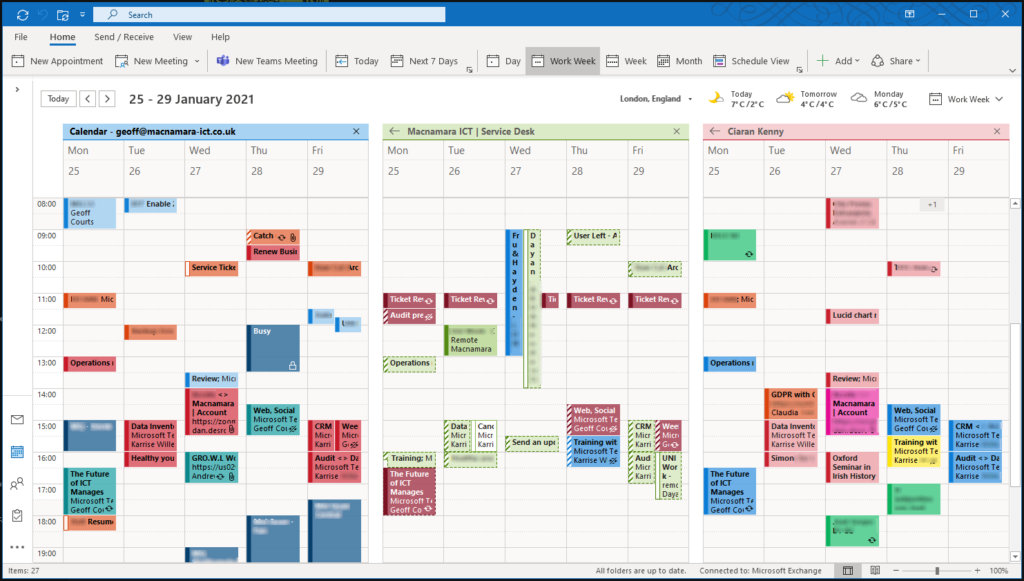
By default everyone in your organisation can see some basic details in your calendar. However this is limited to showing whether you are free or busy at a particular time.

If you ever wanted to put a signature in Outlook webmail, here’s how

Your guide on how to install Office 365 onto your device

Perhaps you need to collaborate on documents, provide files for the external colleague to download, or even provide a location for them to upload files to your tenancy. If you need to share a folder with people outside of your organisation, you can do this securely with SharePoint.

If you have access to multiple mailboxes, and you’re used to using Outlook where you can see them all together, it’s not immediately obvious how to see them all when using Outlook on the web. But, it’s easy!

Surfing the web in private is a minefield.
Everywhere you go, something is watching you, tracking your search results and the pages you visit.
And more often than not the goal is to target you with advertising based on the things that you’re probably interested in (probable because hey, that’s what you’ve been looking at isn’t it?)

In this blog we take a look at why Unified Communications hasn’t yet delivered on its promise. Figuring out how to contact someone is becoming more rather than less complicated: we think we know why and what to do about it.